RigBridge version 3.12
November 2025
This document covers the release of software updates for RigBridge. This release primarily introduces major features. The new features are outlined in the detailed release notes section.
What’s new in RigBridge
Rig level access
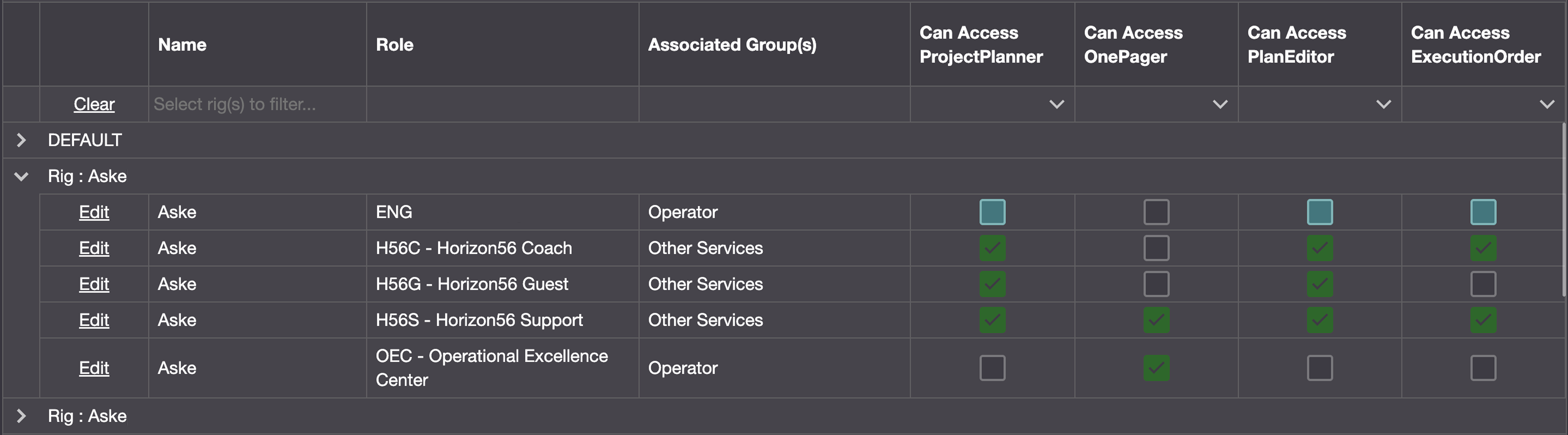
Rig level access adds detailed permission control in RigBridge by filtering what users can see and do based on their rig assignments. Managed through the System Configuration Tool, it links user roles to specific rigs using a permission matrix and customer-defined hierarchy mapping. Default roles can be set up with permissions that apply across all rigs, with the option to override settings for individual rigs, making it easier to manage access in environments with multiple rigs.
Read more about Rig level access.
Project Archive
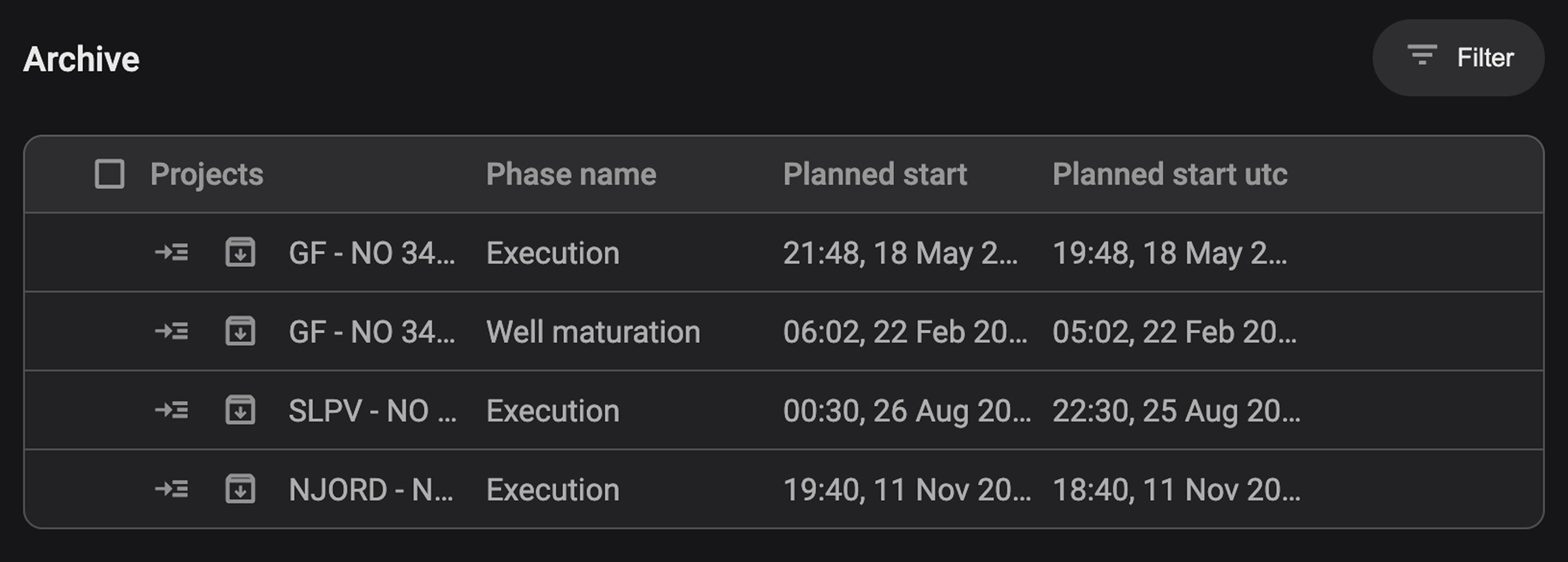
The Project archive feature allows authorized users to move completed or inactive projects out of the active view to reduce clutter while maintaining access for reference. Located in the left sidebar, this read-only archive mirrors the Plan Overview layout and supports filtering by rig, field, or favorites. Projects can only be archived if all associated plans are in a non-active state and can be restored to active status by toggling the archive icon.
Read more about Project archive.
Manual Templates

RigBridge now supports manual template creation within the Template Overview, allowing users to define custom templates directly in the interface without relying on third-party integrations. These user-added templates are created at the section level, support custom metadata and attachments, and appear alongside system templates with a clear visual distinction. This enhancement improves flexibility for capturing rig-specific procedures and standardizing reusable workflows.
Read more about Templates.
Actual values on properties
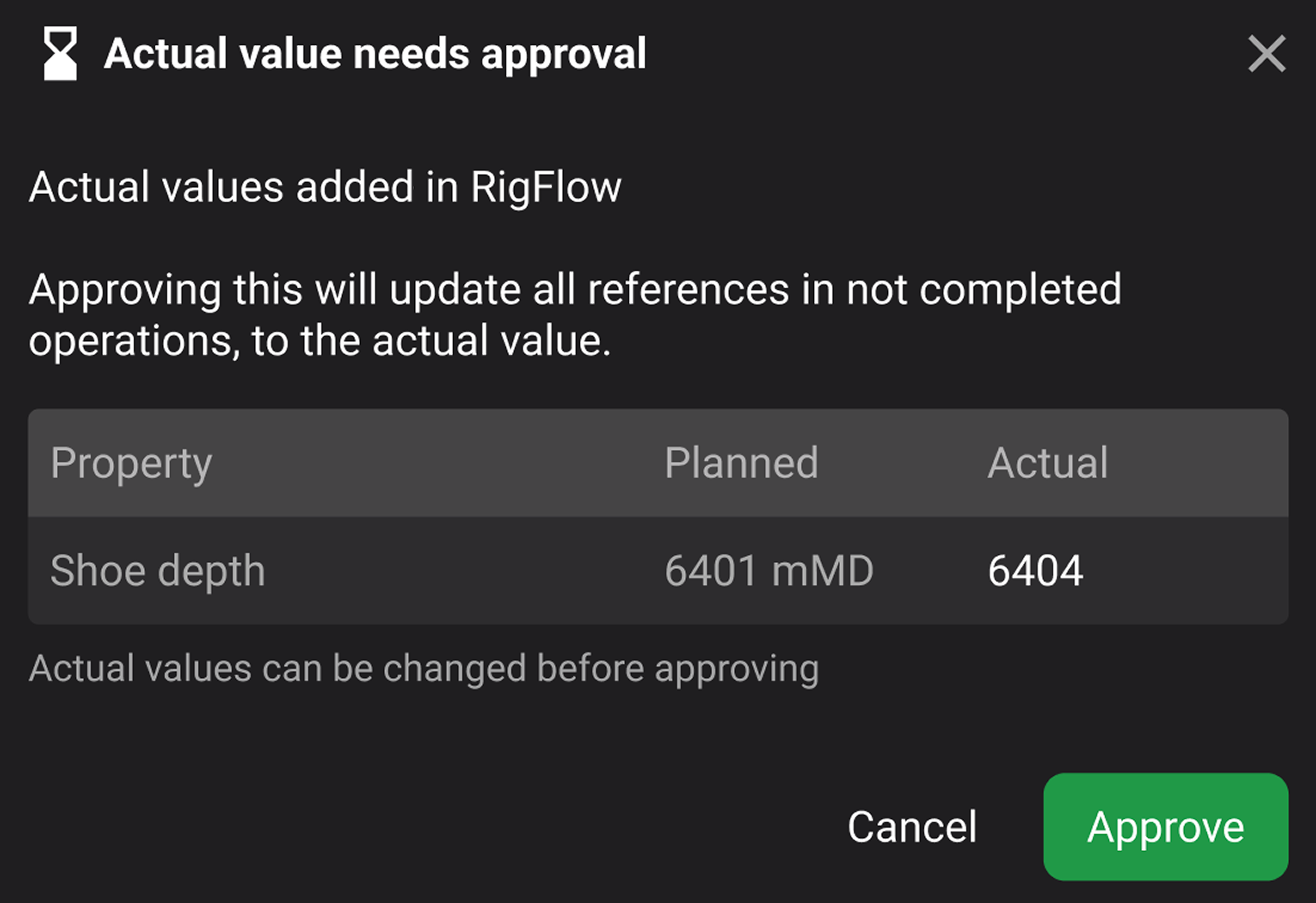
The Actual values on properties feature introduces a structured workflow for reviewing and approving deviations from planned values based on real-time operational input. Users can now input actual values through report backs in RigFlow and approve them directly in RigBridge via tooltips on individual properties or the Right sidebar property panel. Once approved, the actual value replaces the planned (target) value across all referenced operations within editable plans. Approved values are locked and cannot be changed, ensuring data consistency, while non-approved values are flagged with a pending status icon. The feature supports limited, predefined system-integrated properties and enforces strict validation, including single-use constraints per property per section.
Read more about Actual values on properties.
Add attachments from any level
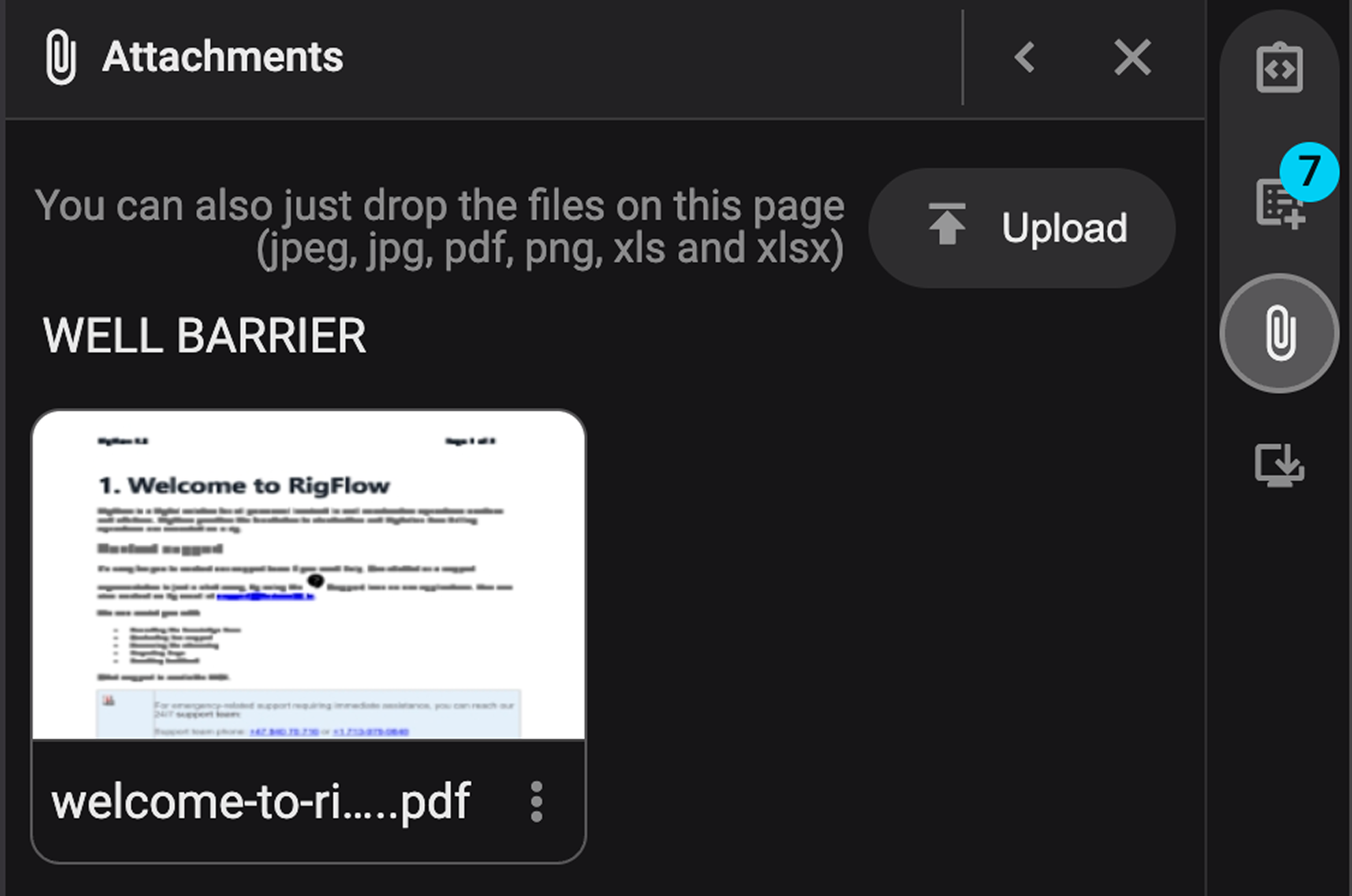
The attachment functionality has been enhanced to support adding and displaying attachments from any level of the plan hierarchy. Users can now either upload new files from their device or insert existing attachments from higher levels using the new "Insert from Hierarchy" option. Once added, attachments are linked to the specific level (step, section, or plan) and displayed in the attachment tab, which now includes a “Source” column indicating the origin of each file.
Read more about Attachments.
More visible filter in Plan Overview

The Plan Overview interface has been updated to improve usability by making the filtering function more visible. The filter button, previously displayed as an icon only, now includes both the icon and the text label “Filter.” This change ensures users can locate and apply filters more easily when searching for specific projects.
Read more about Plan overview.
Bug fixes
Attachment link remains after deletion in OnePagers: Fixed an issue where deleted attachments continued to appear as linked text with an “unavailable” label; they now correctly revert to plain text upon deletion.
Well name missing in downloaded plan PDF: Fixed an issue where the well information was not included in the PDF export of a plan; the well is now correctly specified in the generated document.
Alphabetical order in filter dropdowns: Updated the project view filters so that rig, field, and rig configuration lists are now sorted alphabetically to improve navigation and usability.
Multi-select summary bar not visible in modal: Fixed an issue where the summary bar for multi-selected items in read mode appeared behind the modal; it now displays correctly within the modal for both Preparations and Report Backs.