RigBridge version 3.10
October 2025
This document covers the release of software updates for RigBridge. This release primarily introduces major features. The new features are outlined in the detailed release notes section.
What’s new in RigBridge
OnePagers
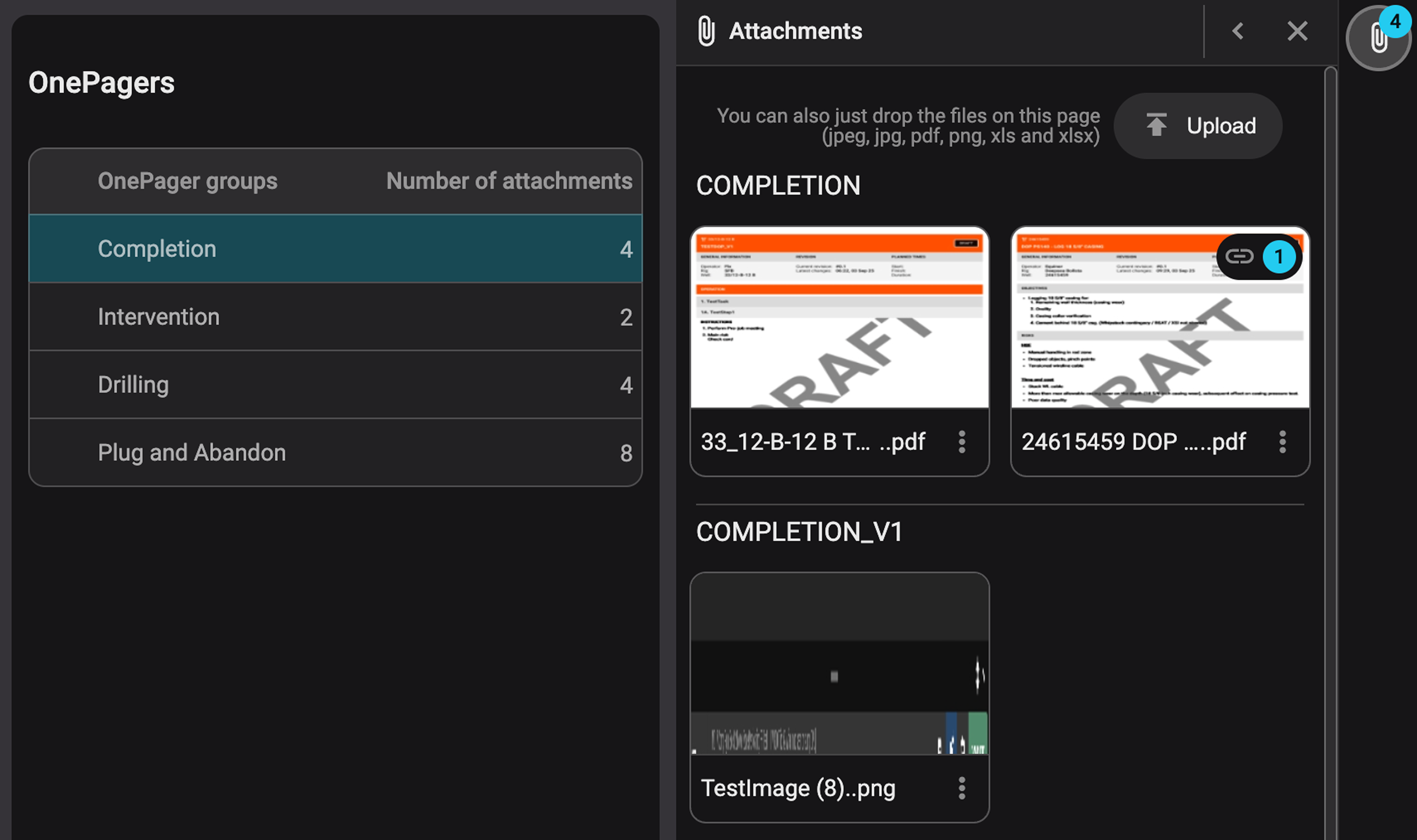
The OnePagers feature gives you a centralized library to store, organize, and reference best-practice documents across plans. Users can:
Link OnePagers directly into plans using the Plan editor.
See which documents are linked to other plans and quickly jump to those plans.
Upload, organize, or update documents without breaking existing links.
Read more about OnePagers .
Fleet overview repagination
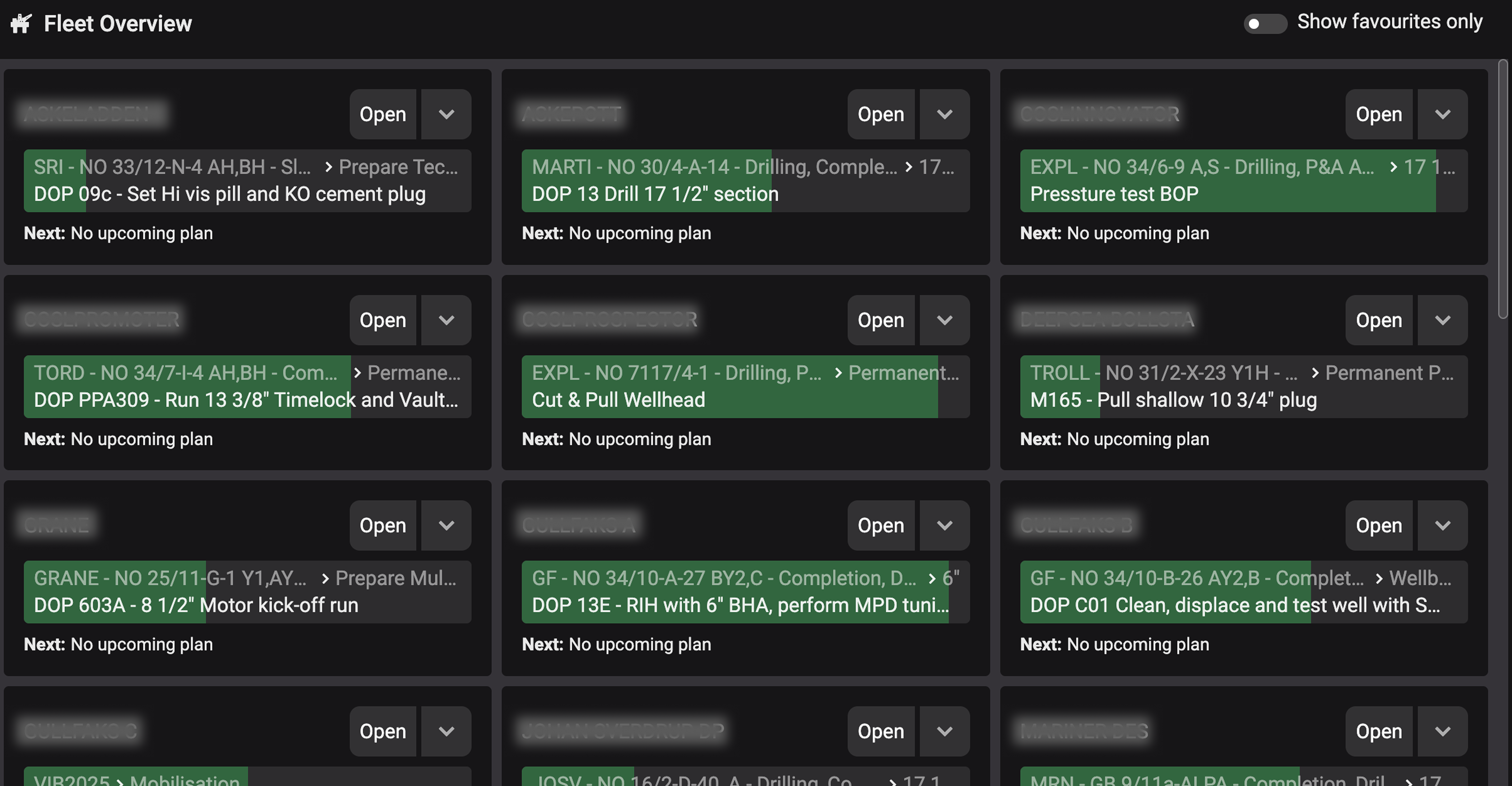
Fleet overview now displays on a single, scrollable page that adjusts to your screen size. Users can scroll down to view more rigs instead of navigating through separate pages.
Read more about Fleet Overview.
Plan overview – wellbore visibility

The Project Settings section in Plan Overview now displays the wellbore name, helping you quickly identify the scope of each project.
Read more about Plan overview.
Replace attachment enhancements
Users with the correct permissions can now replace attachments at any level of the hierarchy, not just within a specific section.
Read more about how to Replace and update an attachment with a new version.
Bug fixes
Review Approval Casing Fix: Fixed an issue where users couldn’t approve reviews due to uppercase/lowercase mismatches in usernames.
Patch releases
We will also release patch releases for RigBridge 3.10.
3.10.2 - October 28th, 2025
Rig Page version 2
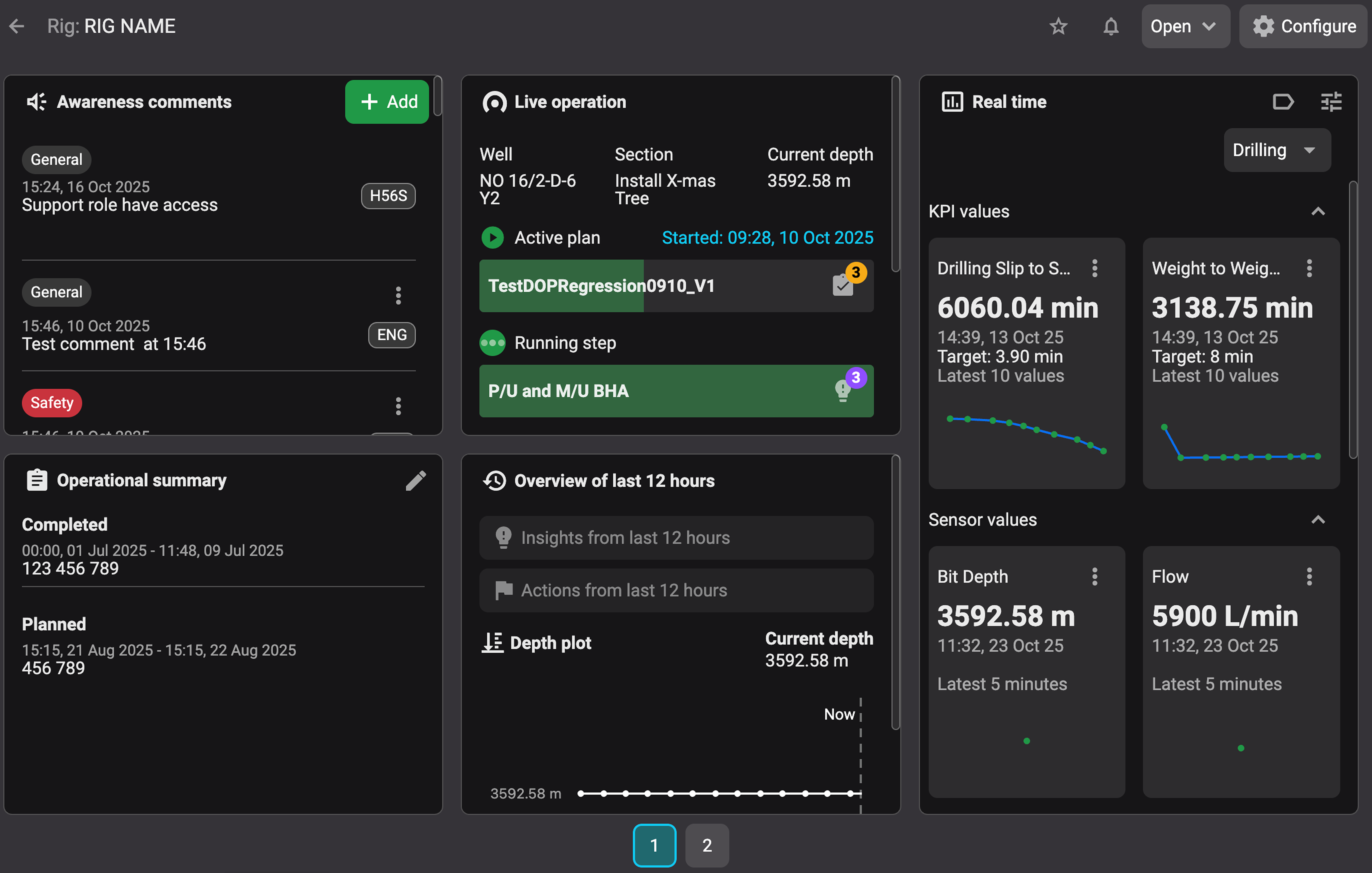 |
This update allows users to configure which widgets are showcased on Rig Page. The layout grid and widget dimensions are fixed, allowing the number of visible widgets to automatically adjust based on the monitor size. Larger screens will display more widgets.
You can learn more about it on Rig Page.