Explore the user interface
RigBridge features a user-friendly layout centered around planning. In the main content view, you can create, edit, and update plans and plan statuses, as well as generate wells, events, and phases to establish a structured hierarchy. The plan library lets you quickly locate and filter existing plans for editing or duplicating into new ones.
The following overview shows the Main navigation, plan Library, Main content view, and the Right sidebar in the user interface depicted below:
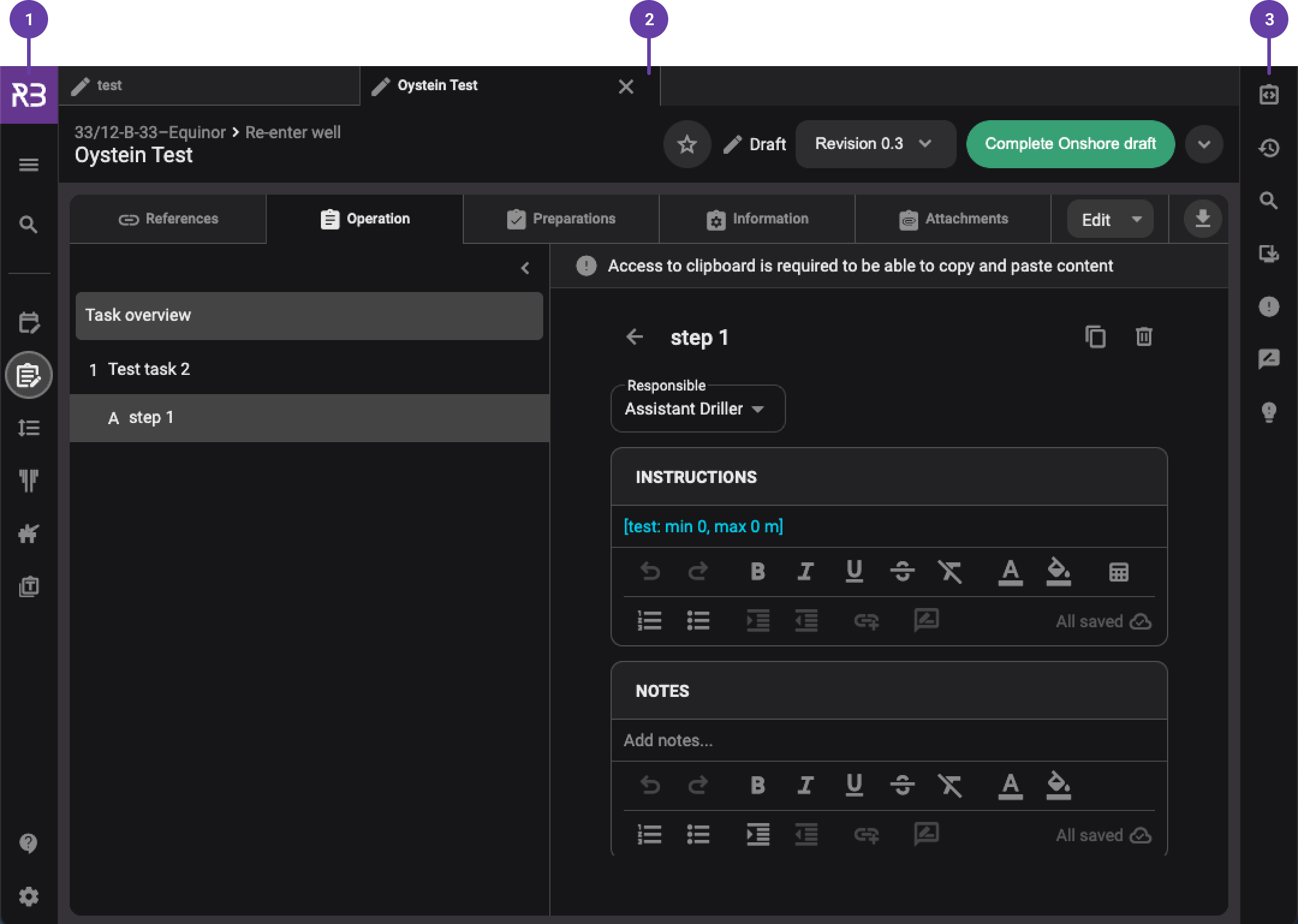
Left sidebar: Contains the main navigation for RigBridge. Here, you can find links to Plan overview, Plan Editor, Execution Order, Well overview, Rig Overview and Templates. You can also find Main menu and App settings.
Main content view: Primary area for creating and editing plans, setting up plan execution, and managing categories within the plan library. For more information, refer to the Plan overview or Plan Editor.
Right sidebar: Access tools related to the Main content view, tailored to match the plan you're currently working on. For more information, refer to the Right side panel.
Main menu and App settings
Main menu
To access the main menu, simply click on the  Menu icon. Within the main menu, users can perform the following actions:
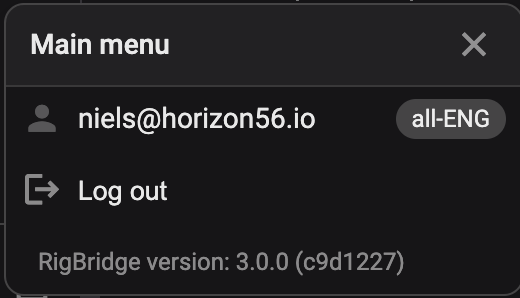
 User information: View details about the currently logged-in user and job role.
 Log out: Safely log out of the product, ensuring the termination of your session on the device.
Application version: Identify the application version currently in use. This information is valuable when communicating with our support team.
App settings
To access the App settings, click on the  App settings icon. Within this you have some simple setup possibilities in RigBridge.
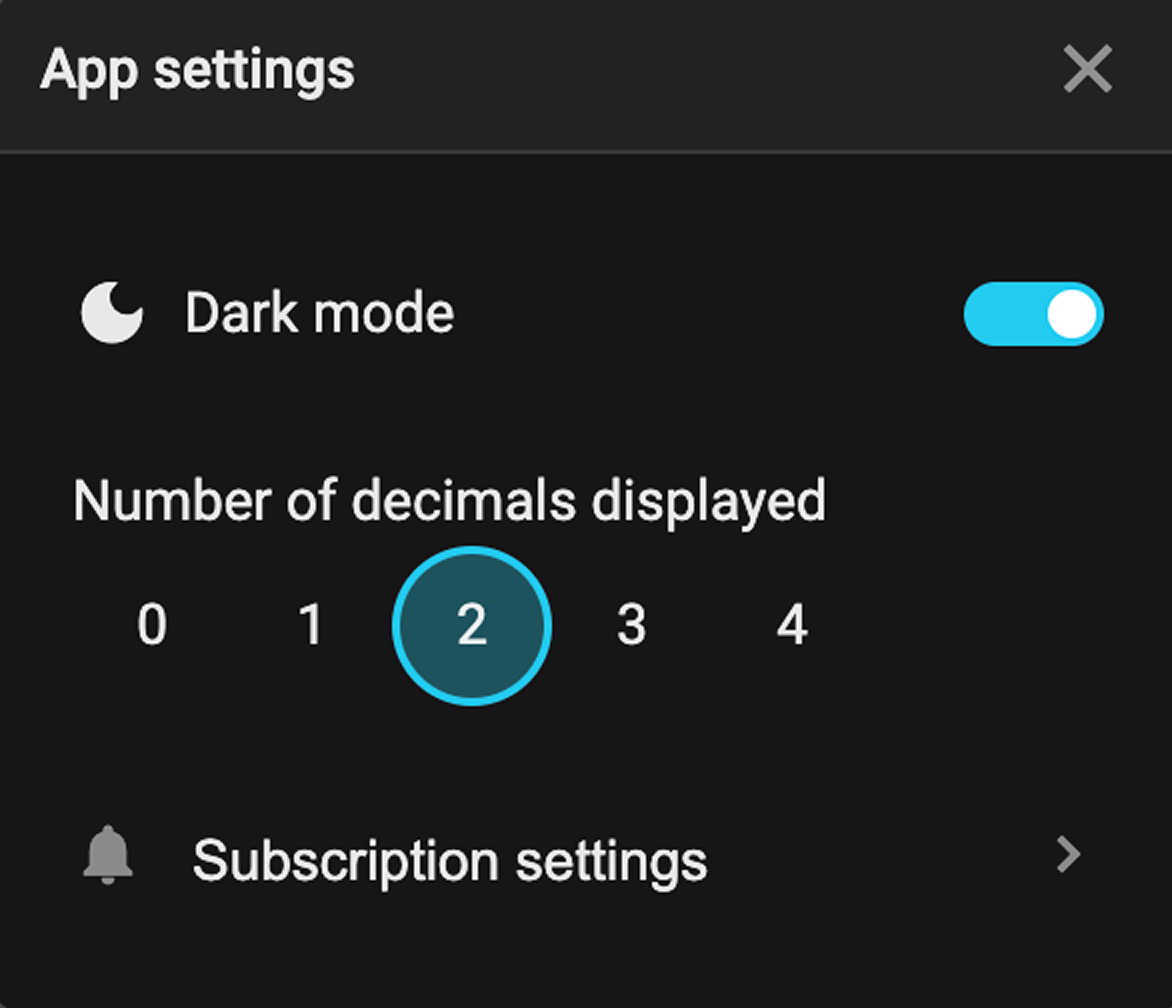
 Dark mode: Switch between the light and dark mode. The dark mode provides a visually comfortable experience, particularly in low-light environments.
Number of decimals displayed: Here, you can define how many decimals will be displayed after the decimal point.
 Subscription setting: Subscription settings will override all individual subscription preferences, and define what you will get notifications for. For more information, refer to Adjust global subscription settings