No permissions to copy and paste content
Q: I see the message "Access to clipboard is required to be able to copy and paste content" in RigBridge. How can I enable copy-paste functionality?
A: You need to enable clipboard permissions in your browser. Follow these steps:
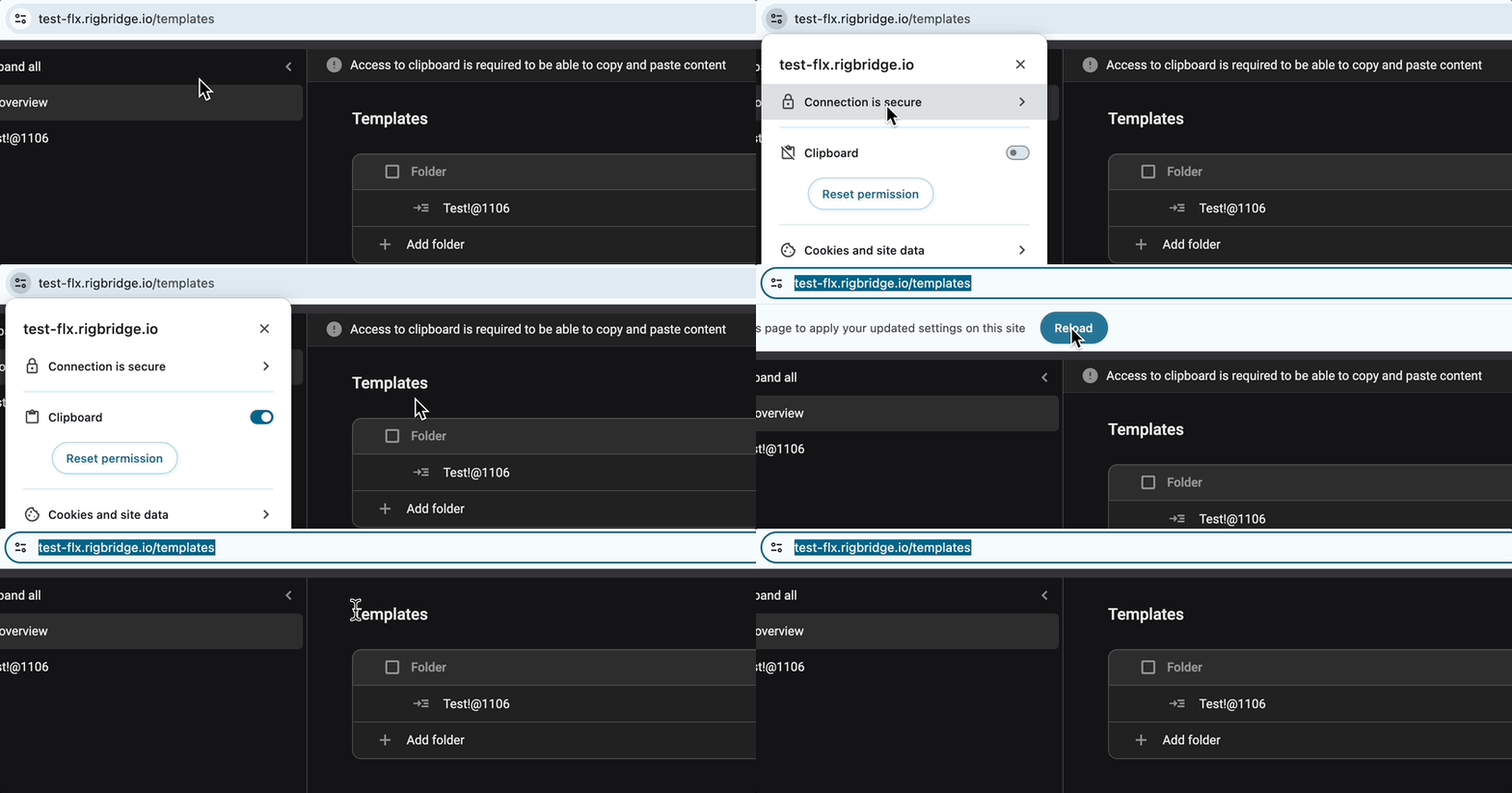
Click on View site information in your browser (Chrome and Edge).
Find and toggle the setting for Clipboard.
Close the modal and click the Reload button.
After following these steps, the message in RigBridge will disappear, and you will be able to copy and paste content.