RigBridge version 3.8
July 2025
This document covers the release of software updates for RigBridge. This release primarily introduces major features. The new features are outlined in the detailed release notes section.
What’s new in RigBridge
Team Members
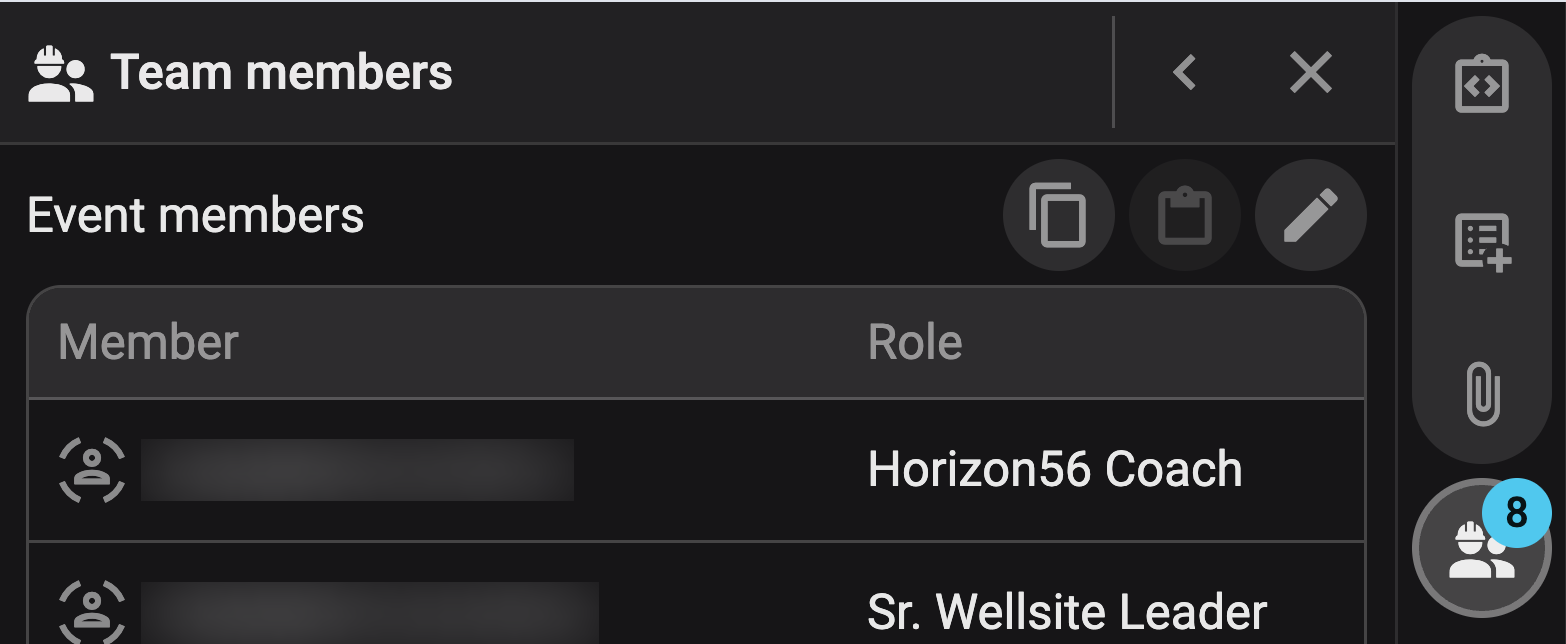
You now have enhanced control over team access and collaboration. The Team Members panel in the Right sidebar allows you to add or remove team members, assign roles, and manage permissions. Roles are inherited from the parent level, and any changes made are reflected throughout the associated hierarchy.
You can also copy and paste team lists between projects, ensuring consistency and saving time. Only users assigned to a team can view or modify related content, helping to protect sensitive operational data.
Read more about Team Members.
Restricted Access

Restricted Access has been added to improve confidentiality across plans, events, and tasks. Team Leads can now restrict access to specific users, ensuring sensitive content is visible only to authorized personnel. When content is restricted, unauthorized users will receive a notice and will be unable to view or interact with the data.
Users can request access, and Team Leads can approve or deny these requests. Restrictions apply across all sublevels and can be lifted at any time by the Team Lead.
Read more about Restricted Access.
Insight Library

The Insight Library can be found in the Left sidebar and provides a centralized place to access and manage insights across plans. You can filter insights by tags, date, and relevance level (Rig, Field, Region, Global), and export them as PDFs with attachments.
The Right sidebar is also updated and features a Relevant Insights panel that displays matched insights based on plan codes. This helps integrate learnings from past projects directly into new plans, improving quality and consistency.
Read more about Insight Library.
Well overview
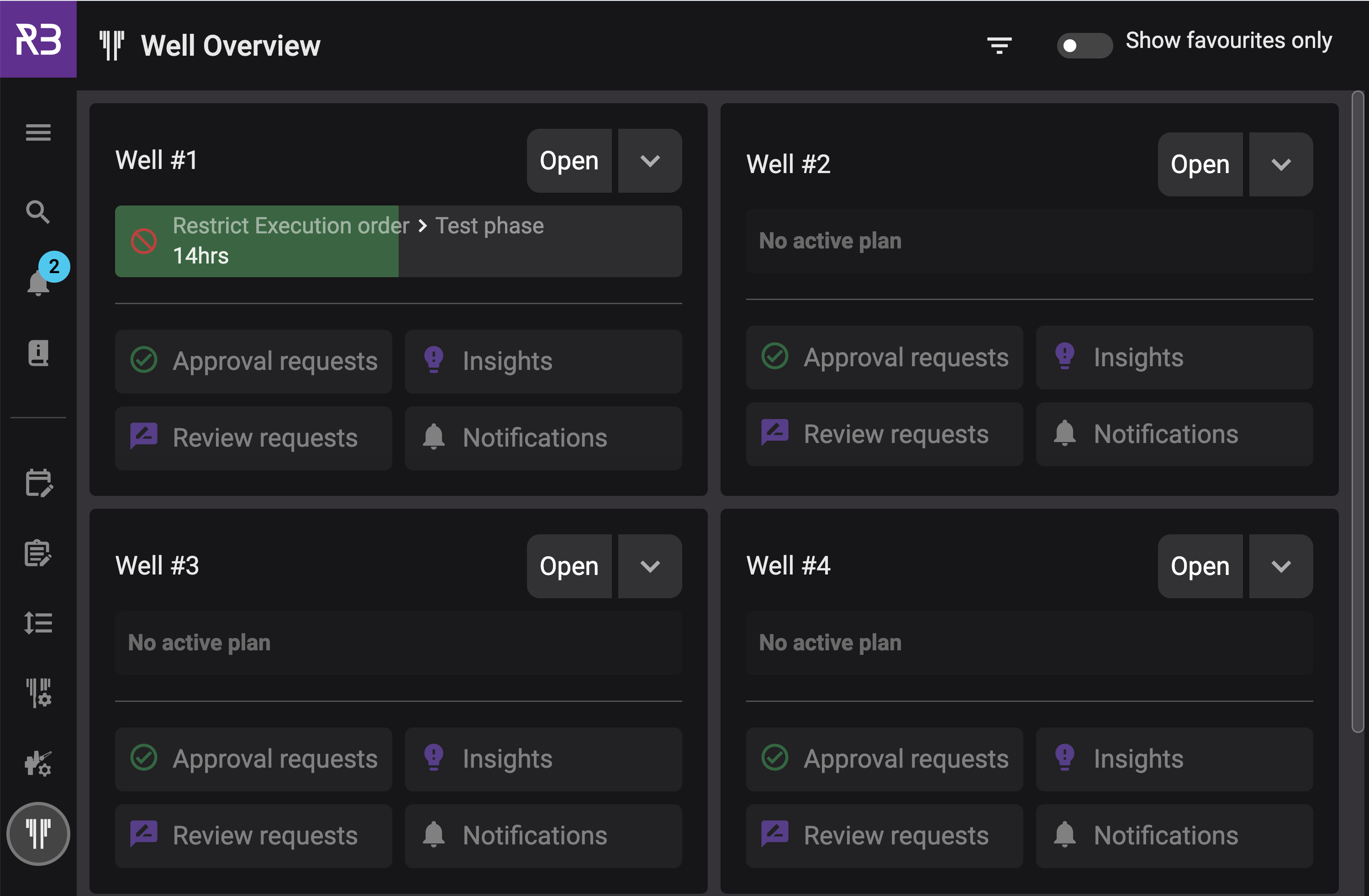
A new section called Well overview has been added to the Left sidebar. Here you find a detailed summary of each well's setup and related data. This includes a well card view and easy access to linked plans, events, and operational history.
Read more about Well overview
System Configuration Tool – New Help Material
To support system administrators, we've added new help documentation for the System Configuration Tool. This includes guides on managing users, roles, permissions, and more.
Read more about the System configuration tool.