Awaiting approval
Once a plan has been sent for approval, it enters the Awaiting Approval state. At this stage, the plan is locked for editing and cannot be moved forward until all selected approvers have completed their review and approved it.
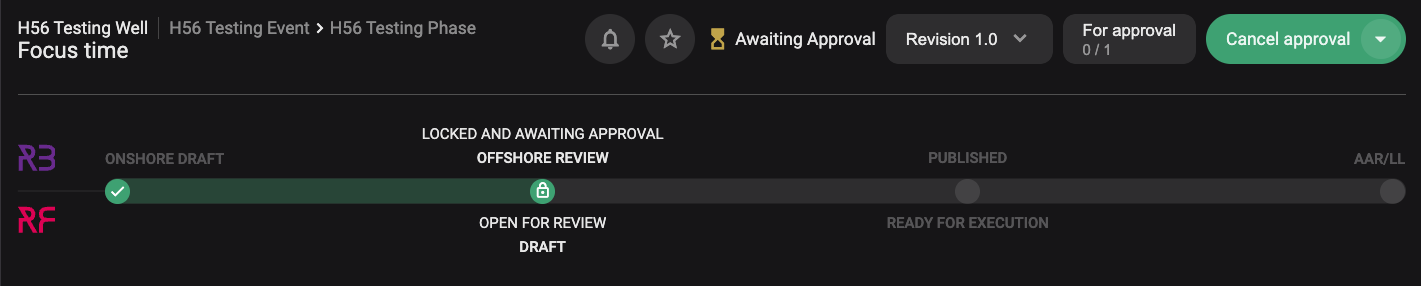
The following wil happen in this state:
Plan becomes locked: As soon as you click Send for approval, the plan is locked. No further changes can be made unless the approval is cancelled.
Approvers receive a notification: Each assigned approver is notified and can access the plan to review and approve it.
Approvers use the “Approve” button: Inside the Plan Editor, each approver clicks the For approval button to sign off.
Monitor approval progress: You can track which approvers have signed off directly from the For approval button. It's shown with a number under the text.
Auto-publish if enabled: If the Auto-publish option was turned on, the plan will be published immediately once all approvals are complete.
Manual publish if needed: If Auto-publish was not selected, the plan owner must manually click Publish once everyone has approved.
Cancel approval if changes are needed: If edits are required, you can click Cancel approval to unlock the plan. You’ll need to repeat the approval process afterward.