RigBridge version 2.8
July 2024
The document covers the release of software updates for RigBridge, focusing on incremental improvements and bug fixes outlined in these detailed release notes.
Minor improvements and features
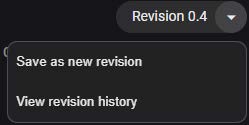
Save plan revision
This new feature provides the capability to save a plan as a new revision.
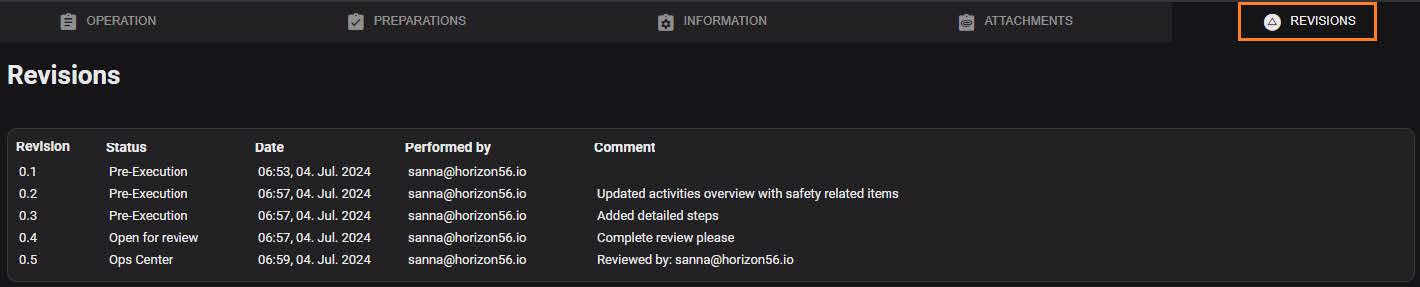
In RigBridge, the changes made to a plan are continuously and dynamically saved. “Save as new revision” will update the plan with any changes and generate a new revision. Additionally, you can specify change information, ensuring transparency and accountability. This provides more control and trust that RigBridge will not lose any data. Furthermore, this facilitates easier documentation of decisions and events, such as plans’ team reviews.
Update to sending for approval
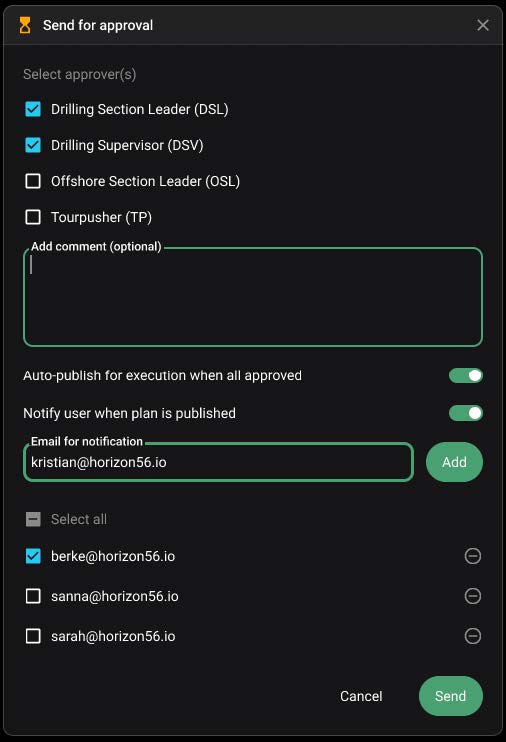
When submitting a plan for approval in RigBridge, users will now see a toggle to enable email notifications upon publication. It is possible to choose from a list of remembered emails or enter a new one. If this function has not been used before, the list will be empty. Once the approval process is complete, all the users specified will receive a notification email.
Update to sending new general review
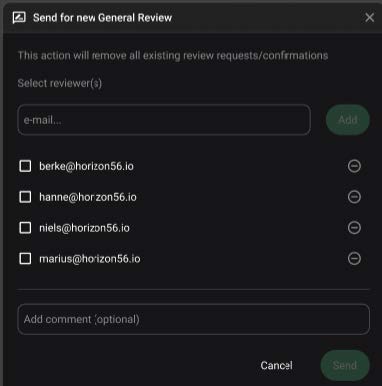
When the user presses "Send for new General Review," they will be warned that "This action will remove all existing review requests/confirmations".
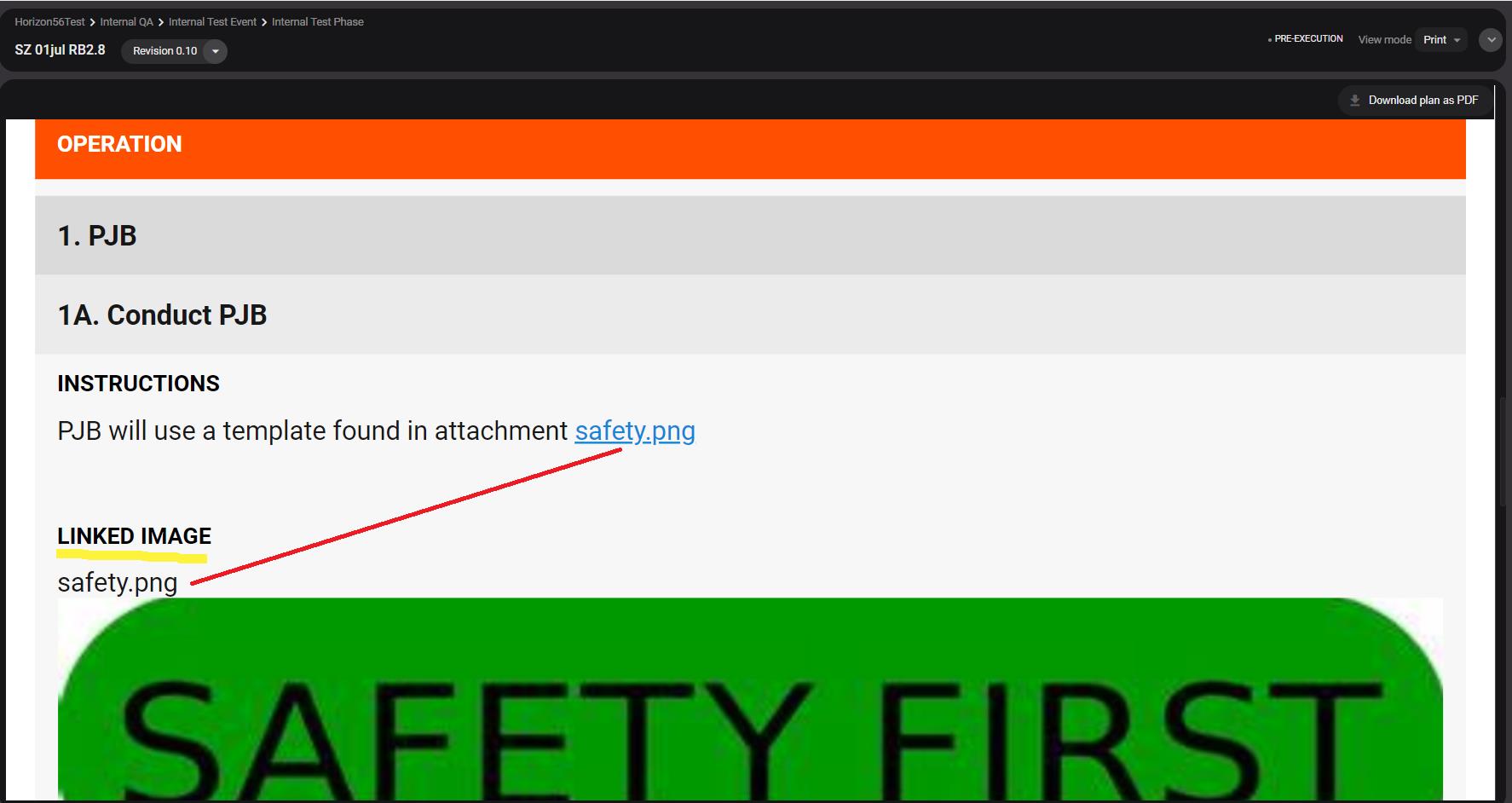
Add linked image attachments to the instructions
Now, when an image is linked in the instructions, it will show right below the content of the corresponding operation step/ information. This will help put the image into the context it is referred from. When reading the plan in print preview or as a PDF, it saves going back and forth between the current step, and the attachments section.
Note: when downloading PDF of a plan, the linked images will always show, whether the attachments are included or not.
Once the desired property is selected, the parameter details modal becomes available. From this modal, toggle on/off the property values to display in the instructions and preview its appearance within the instruction.
Open insight panel as default on duplicated plan
In RigBridge, users can add insights, including those labelled “Include in next copy of plan.” These insights highlight learnings and events that need attention in future operations. When a plan is duplicated, the flagged insights automatically appear in the right-hand side panel. This ensures that the insights are reviewed and implemented in subsequent plan iterations. When the latest plan version is copied to a new well, the side panel displays insights previously marked for inclusion in the next copy, labelled as “General insight”.
Add well in footer of PDF pages
Today, the footer of the PDF of a plan includes plan name, workgroup, plan status, revision number and page count.
The footer of the PDF of a plan has been updated: it includes the well name in a two-line footer for easy identification.
Fixed issues
First download of a plan is blank PDF: In many instances, the first download of a plan was a blank PDF, requiring performing download twice to get correct PDF. This has now been corrected and PDF is complete from first download.
Filter issues in Field mode: Using Filter function in Rig mode had no issue, but previously, inconsistent results were obtained when using Field mode. A fix is now provided to ensure the Filter function can be fully used.
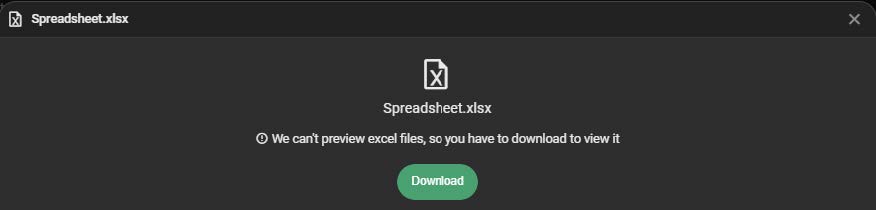
Attachment: Adding xls file shows wrong type & no preview. Previously, attachments with type xls would show wrong icon (PDF instead of XLS). Clicking on preview would also fail. This has now been corrected. Note: it is not possible to preview XLS files, and upon clicking on file, user will be prompted to download file instead
Review comment icon in preparation check - difficult to use: Clicking on the Review Comment icon was previously challenging as it would disappear quickly. This has now been corrected.