RigBridge version 2.5
October 2023
The document covers the release of software updates for RigBridge. This release is primarily a release for introduction of major features, bug fixes and incremental improvements. The new features and bugfixes are outlined in the detailed release notes section.
Read mode
A new mode to view plans in a digital, editable way
We have introduced a new feature in RigBridge that we call Read Mode. The intention with this feature is to make it easier to have a read-through of the complete plan, for example during a review process. And you will have fast access to make changes during this process. It also provides you with a better overview of how the steps would look and feel in a digital plan.
This feature has replaced the old “Print Preview” switch, and you will now have a selection menu called View mode. Here you can select between Edit, Read, or Print view.
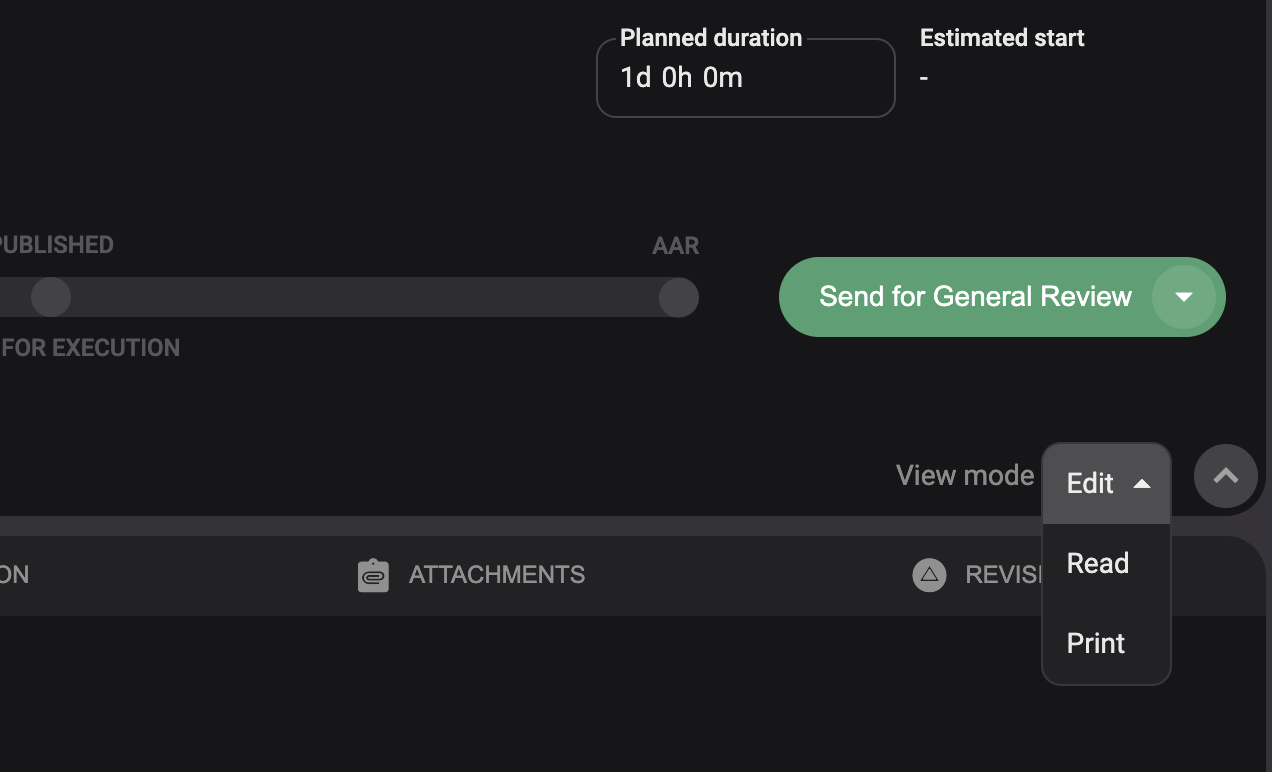
Difference between each mode is a shown
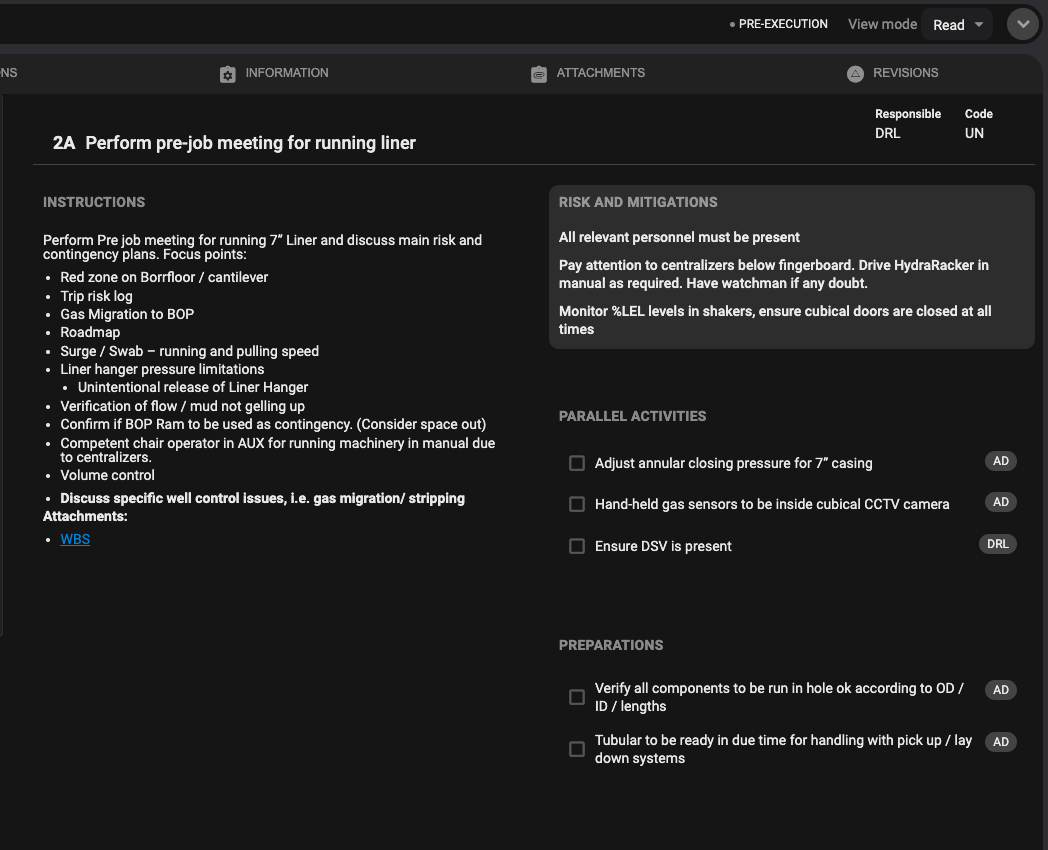
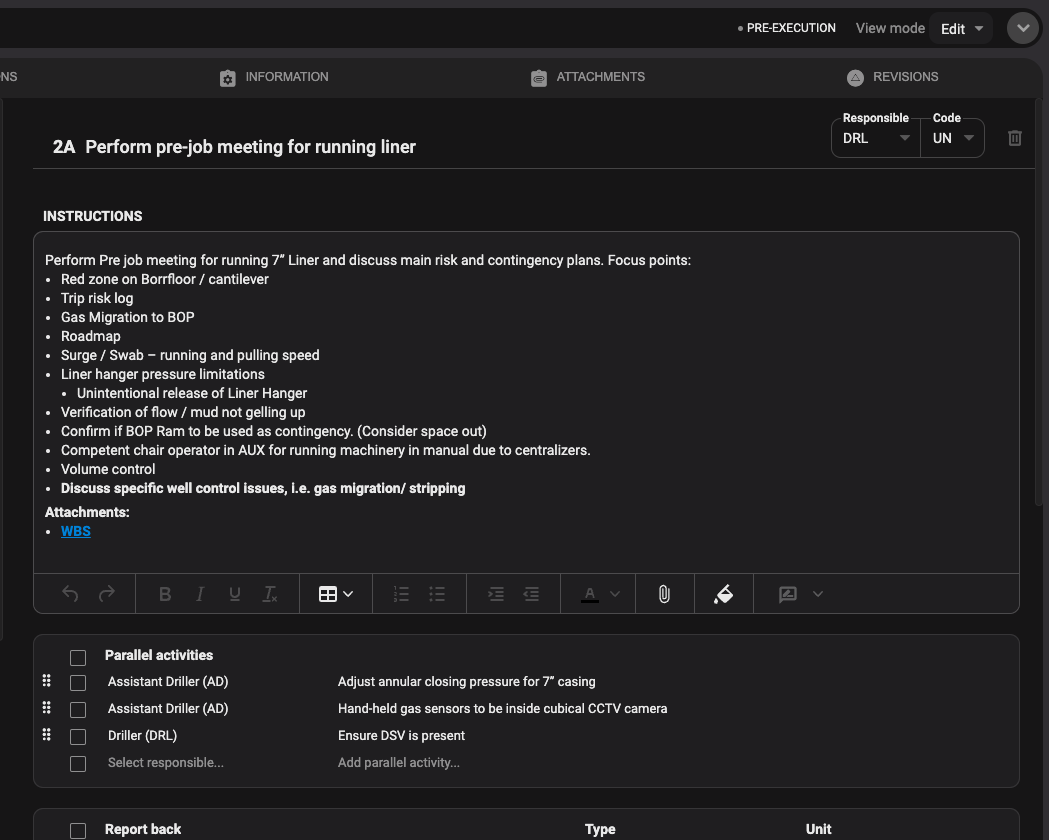
Showing read-mode and edit-mode
In Read-mode you will have the ability to make changes to existing content. When you hover over a section, it will light up. Once you click it, the section will open in editor view where you can make your changes to both text and formatting.
Attachments tab
See the links and click to go directly to the step on this page.
Showing links on attachments
When an attachment is linked to a step, you can now see how many times it has been used and what section in the plan it is linked to.
Attachment preview and remove attachment links in the rich text fields
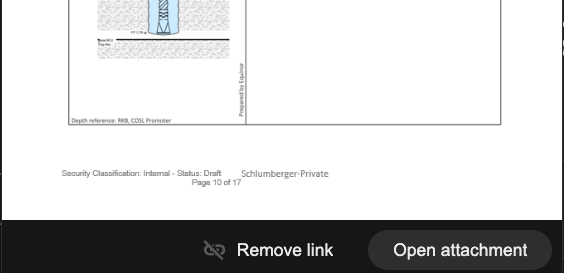
We have added a feature for linked attachments, so you can now preview it before opening it. When you click the link:
The attachment pops up in a small preview window, where you also have the options to “Remove link” or “Open Attachment”.
If you choose to remove link, a confirmation box will appear where you can either Remove or Cancel your action.
Continuous Scroll
We have added continuous scroll to navigate between steps. This allows user to scroll seamlessly between steps in a plan when editing. When you scroll either to the end or the top of an activity a message will appear “Keep scrolling or click Page down/Page up on your keyboard”.
Changes to PDF layout
We have made changes to the formatting and layout of the PDF printout for clarity, this is a configurable feature that can be enabled by the operator. We have introduced a column on the right-hand side of the page (similar to Read Mode) containing Risk & Mitigations, Parallel Activities and Report Backs. This ensures this content can always be viewed at the start of the step. Instructions and Operational Parameters remain on the left-hand column of the page. We have also introduced a watermark for draft plans.
Add "Approved by" and “Reviewed by” in revision log
When users have either approved or reviewed the plan, and pressed the Approved/Complete button, this action will be posted as a comment in the revision log.
Enhancements
Minor improvements
Updated send for general review functionality – Now you can send the plan for review several times if needed.
New and improved PDF preview – As run data and operational report on completed plans.
Improved e-mail notifications for Smart review comments. – Receiver now gets the complete step with highlighted area and your comment in the e-mail.
E-mail notifications to persons tagged for Plan approval.
We have added the option to have shared attachments on Event and Phase levels.
Updated Progress bar - warning if not all reviewers have completed the review before going to next step.
Removed “no step content” on PDF printout.
Added well name to header of PDF printout.
Added well name to generated PDF filename.
Limited the colours available for text and highlighting in RigBridge and RigFlow in order to ensure text is readable in RigFlow and does not cause unnecessary confusion.
Include well name in email body of General Review.
Include well name in email body of plans for approval.
Spell check should be disabled on completed plan.
Ctrl + C does not work when DOP is sent for approval.
Review/Approver email Case sensitive comparison.
Not able to copy/paste mail address in review comment.
"Reference is missing" no longer shown on reopened insights and review comments.
Tab titles must be middle aligned.
Report back number type not working with enter.
Input to information tab is visible in other DOPs.
Not able to add new review after the old one is rejected.
Preparations Responsible Name - not clear to the user that there is a text area here.
Wrong UTC time zone on PDF planned time.
Validation and wording issue when rig is not assigned.
Publishing a plan where Signature is not written does not work.
Sort order on attachments not working correctly.
Report back number type not working with enter.
Black text on black background.
Print preview shows approved when plan is in OC state.
Insights created against Preparations are not coming in PDF.
PDF has different time in Actual and Operational log
Fixed issues
User reported problems saving changes in RB.
Previously deleted preparation check reappeared after revoke.
Spell check should be disabled on completed plan.
Ctrl + C does not work when DOP is sent for approval.
Review/Approver email Case sensitive comparison.
Not able to copy/paste mail address in review comment.
"Reference is missing" no longer shown on reopened insights and review comments.
Tab titles must be middle aligned.
Report back number type not working with enter.
Input to information tab is visible in other DOPs.
Not able to add new review after the old one is rejected.
Preparations Responsible Name - not clear to the user that there is a text area here.
Wrong UTC time zone on PDF planned time.
Validation and wording issue when rig is not assigned.
Publishing a plan where Signature is not written does not work.
Sort order on attachments not working correctly.
Report back number type not working with enter.
Black text on black background.
Print preview shows approved when plan is in OC state.
Insights created against Preparations are not coming in PDF.
PDF has different time in Actual and Operational log.