Create a new plan
To create a new plan, users can start by typing a new title in the bottom row of the Plan Overview, which will automatically generate an empty plan. Plans are known by different names depending on the company, such as DOPs, RAPs, or WWI.
How to create a new plan
To create a new plan in RigBridge, follow these steps:
Navigate to the bottom row of the list of plans.
Click on Add Plan... to create a new plan.
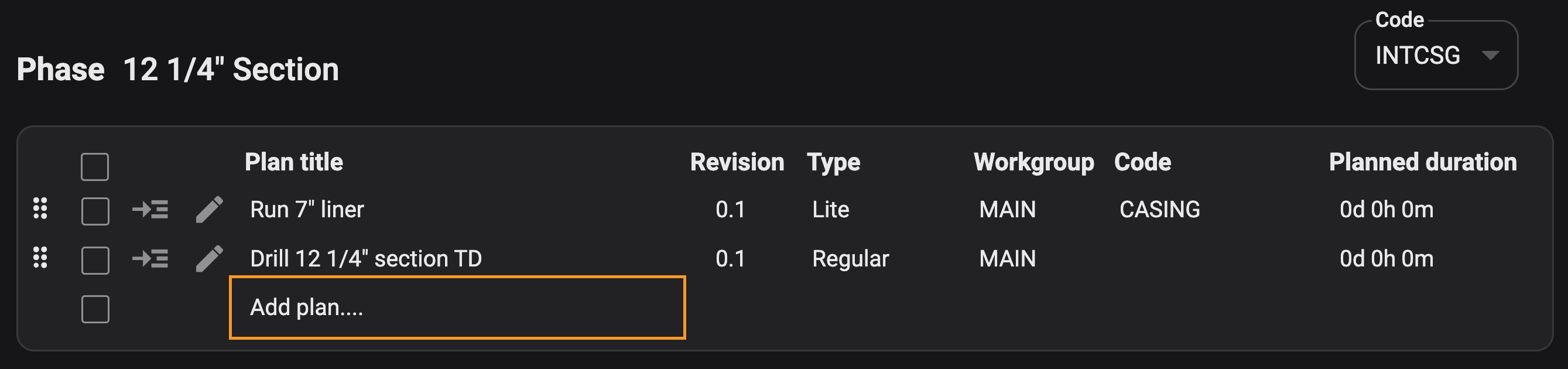
Insert the plan title.
You can also include the Workgroup the plan belongs to, a plan code, and a planned duration, but these details can also be add or changed later in the Plan settings.
The system will automatically save your progress.
Note
When you're adding Wells, Events, and Phases it follows the same logic as when you create a new plan.