How to make a reference in a plan
It's crucial to work efficiently and accurately in well planning. References are a tool that can help with this. They automatically adjust and reuse key data points, such as depths and measurements, which saves time and reduces mistakes. This article explains how References can improve well planning effectively.
Let's look at an example
Let's consider the scenario of drilling a 12¼” Section after cementing the 13-3/8” casing. This routine procedure can be replicated, with the flexibility to adjust parameters or the references needed for different plans.
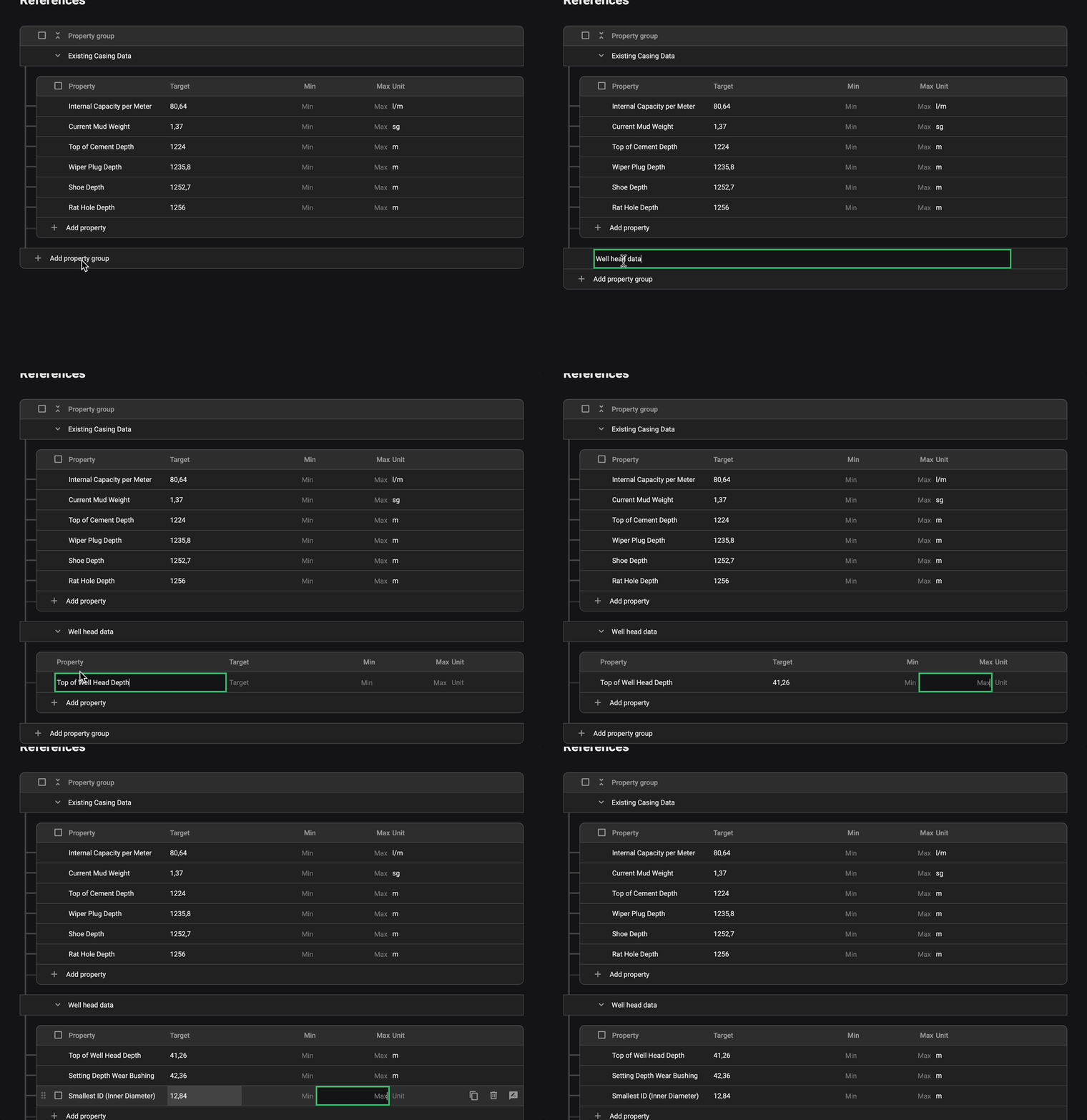
In this example, we'll demonstrate how two property groups, each with their own set of priorities, could be structured:
Title "Well head data"
Top of Well Head Depth: 41.26m
Setting Depth Wear Bushing: 42.36m
Smallest ID (Inner Diameter): 12.84"
Title "Existing Casing Data"
Internal Capacity per Meter: 80.64 l/m
Current Mud Weight: 1.37 specific gravity (sg)
Top of Cement Depth: 1224m
Wiper Plug Depth: 1235.8m
Shoe Depth: 1252.7m
Rat Hole Depth: 1256m
When you have the correct plan content, you can create Property Groups, Properties and link them into the Instructions or Operational Parameters inside the plan.
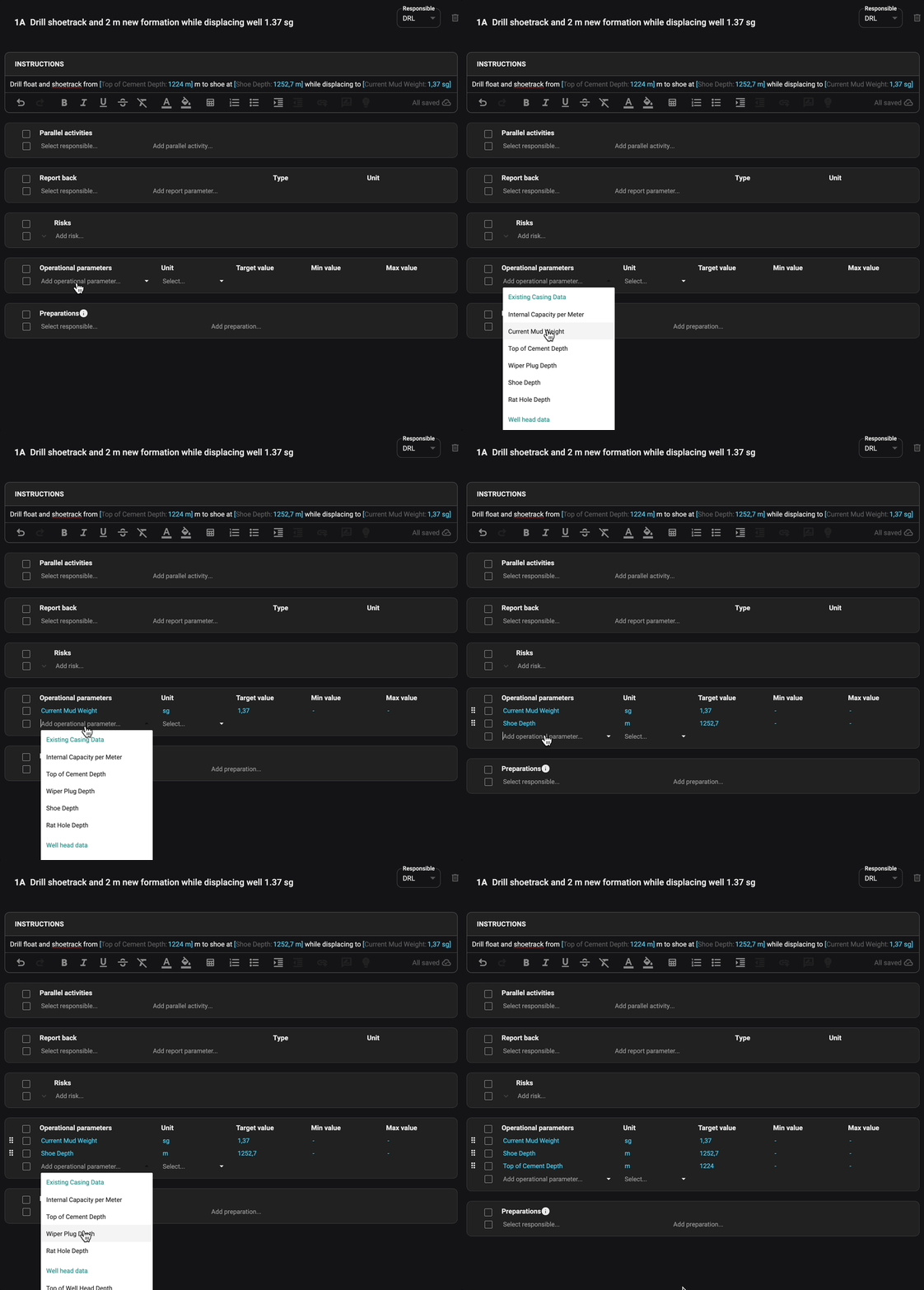
This example demonstrates how these parameters can be organized and adjusted to fit specific project requirements. By utilizing properties and references, operators can easily replicate and modify plans, ensuring accuracy and efficiency throughout the well planning process.
How to use the References in the best way
To make the most of References in well planning, follow these simple steps:
Figure Out Important Info
Identify the key details for each plan part that can be reused, like depths and sizes.
Customize for Each Project
Put in the specific details for each project to ensure everything fits right.
Stick to Standard Processes
Use References for routine drilling jobs to save time and keep things consistent.
Avoid Mistakes and Stay Accurate
References can help reduce errors and keep the data correct, which is important for safety and efficiency.